

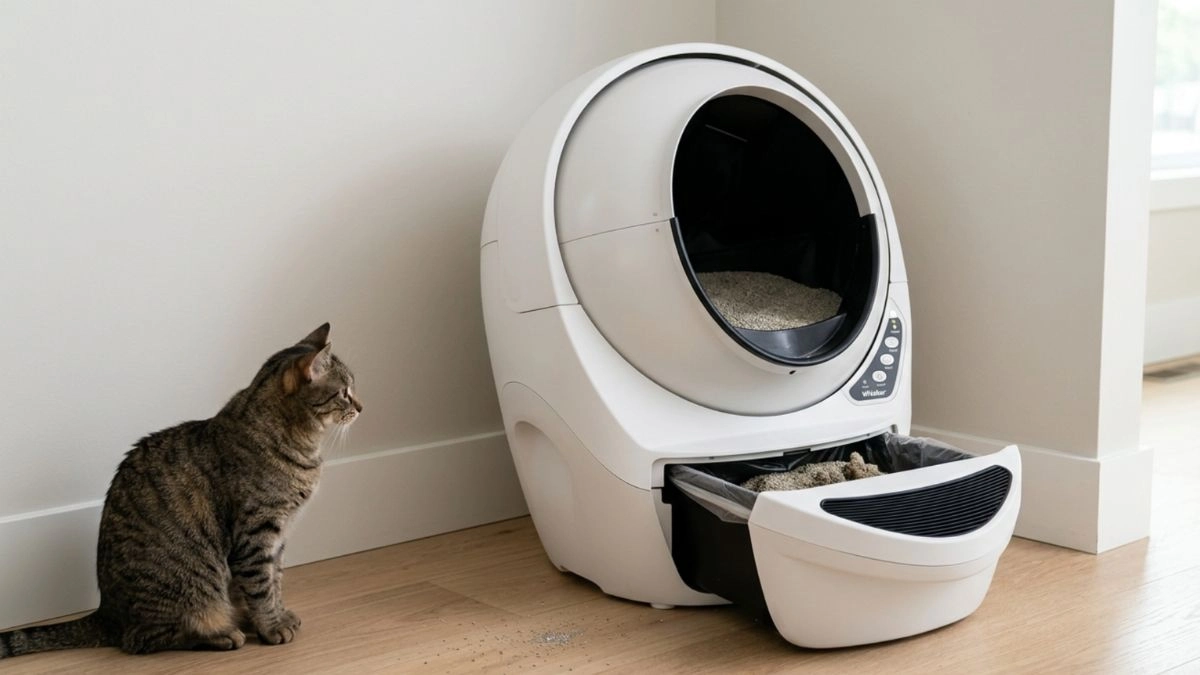
Automatic Litter Box Not Working? 7 Problems You Can Fix Fast
Does your automatic litter box suddenly stop working, leaving you frustrated and unsure what went wrong?
You bought it to save time — not to deal with errors, bad smells, or incomplete cleaning cycles. Yet, these problems are more common than most owners expect.
The good news? In most cases, nothing is actually broken.
Many issues come from simple mistakes like using the wrong litter, overfilling the unit, skipping basic cleaning, or placing it in the wrong spot. Small details can confuse sensors, block movement, and stop cycles entirely.
This guide walks you through the most common problems and the exact fixes that actually work — so you can get your unit running again in minutes and keep your cat using it comfortably.

Key Takeaways
- Most automatic litter box problems are not defects — they’re caused by simple setup or maintenance mistakes.
- One of the most common issues is using the wrong litter, which affects sensors and cleaning cycles.
- A full waste drawer or dirty sensor can stop the unit from working completely.
- Many problems can be fixed in under 5 minutes with a quick check and reset.
- Simple weekly habits prevent most issues and help your unit last longer.
Why Automatic Litter Boxes Stop Working
Most automatic litter box problems aren’t mechanical failures — they’re caused by simple setup or maintenance mistakes.
Even small things like an uneven base, poor litter selection, or inconsistent upkeep can quickly stop the unit from working properly.
In real-world use, these issues often show up as sensor failures, incomplete cycles, or sudden stops.
Improper positioning is one of the most overlooked causes of performance issues. Keep the litter box at least 1 inch away from walls and always on a firm, flat surface. A unit pushed against a wall or placed on carpet may struggle to rotate and trigger false sensor readings.
Material choice also plays a major role — using non-clumping material or overfilling the globe can interfere with normal operation. Most automatic litter boxes require a minimum weight to trigger a cycle, which means smaller or lightweight cats may not trigger the sensor consistently.
- Make sure the unit is level — an uneven base can stop the motor mid-cycle— an uneven base can stop the motor mid-cycle
- Avoid frequent repositioning — cats prefer a stable location for consistent use — cats prefer a stable location for consistent use
- Adjust the litter amount before assuming a part is faulty
Quick troubleshooting: move the unit to a hard surface, lower the litter to the fill line, and confirm a 1-inch gap from walls. In most cases, these simple fixes can restore normal operation in just a few minutes.
Problem 1: The Litter Box Won’t Start or Power On
If your automatic litter box doesn’t start at all, the issue is usually related to power, setup, or safety conditions — not a mechanical failure.
What causes it:
- The unit is not properly plugged in
- The power outlet is not working
- The waste drawer is not fully inserted
- The unit is not sitting on a level surface
- Safety sensors are blocking the cycle
How to fix it:
- Check that the power cord is securely connected
- Test the outlet with another device
- Remove and reinsert the waste drawer properly
- Place the unit on a firm, flat surface
- Reset the unit by turning it off for 30–60 seconds
In most cases, these simple checks restore normal operation immediately.
Problem 2: The Sensor Is Not Detecting Your Cat
If your automatic litter box is not detecting your cat, the issue is usually not a failure — it’s a sensor interference or calibration issue.
Small debris, poor placement, and incorrect weight calibration are the most common causes of sensor failures. In most cases, the issue is not the device — it’s how the sensor is being affected.
If your sensor isn’t detecting your cat properly, this quick video shows how to reset and troubleshoot the issue step by step:
Identifying Sensor Obstructions
Inspect the entry and sensor areas for dust, fur, or small litter buildup. Even a thin layer can interfere with detection and stop the unit from working properly.
Make sure the unit is placed on a firm, level surface. Soft mats or uneven floors can affect how the sensor reads your cat’s weight.
Recalibrating Weight Sensors
Most automatic litter boxes require a minimum weight (around 5 lb / 2.2 kg) to trigger a cycle. If your cat is lighter, the unit may not activate consistently.
After adding litter or emptying the waste drawer, press the Reset button to recalibrate the weight system.
- Keep the unit at least 1 inch away from walls to avoid interference during operation.
- Test the sensor by gently pressing the entry — a light response or indicator shows it’s working.
- Check for loose connections if the issue persists.
In most cases, a quick clean and reset is enough to get your unit working normally again.
Problem 3: Grinding Noises or Sudden Mechanical Stalls
Strange grinding or a sudden stop usually means something is stuck in the drive system or gears — not necessarily a serious failure.
Before you begin, unplug the unit to avoid electrical risk while inspecting moving parts.
Often, small objects or hardened litter clumps get trapped in the track or gear assembly. These obstructions make the unit struggle during a cycle and cause loud noises.
Clearing Track and Gear Obstructions
- If you hear unusual noises, inspect the globe track for debris that may block movement
- Remove the globe and check the gear assembly for wear or loose screws
- Keep the area around the base clear so small items don’t fall into the system
- Perform a deep cleaning every few months to prevent buildup
- After cleaning, make sure the power supply is firmly connected
| Issue | Quick Fix | When to Call Support |
|---|---|---|
| Grinding noise | Clear debris from track; reseat globe | If noise persists after cleaning |
| Sudden stall | Inspect gears and screws; tighten if needed | Broken gear teeth or motor failure |
| Intermittent power loss | Check power supply connection and cord | Replace power supply if unstable |
Tip: Keep toys away from the unit and follow a simple cleaning routine. This prevents most mechanical issues and extends the life of your device.
Problem 4: Incomplete Cycles or Waste Not Dropping Into the Drawer

If the device leaves waste behind, the issue is usually caused by incorrect fill levels or a poorly seated waste drawer — not a mechanical failure.
Check the waste drawer first. An overfilled drawer blocks the globe and prevents a full rotation.
Make sure the fill level stays within the recommended range. Adding too much material can overload the system and cause incomplete cycles.
Choosing the best cat litter for automatic litter boxes helps prevent clumping issues, reduce odor, and improve overall performance.
Low-quality or poorly clumping material can cause residue to stick to the globe and interfere with cleaning cycles.
- Empty the waste drawer regularly to allow proper rotation
- Press the reset button or use the app after emptying the drawer to recalibrate weight tracking
- Ensure the drawer is fully seated — even a small gap can prevent the system from working correctly
If a cycle stops mid-run, press the reset button and allow the unit to return to its home position. If your cat enters during operation, safety sensors will pause the cycle automatically.
Tip: If clumps stick to the globe, slightly increasing the cycle delay can give waste more time to solidify before rotation.
Problem 5: Bad Smells Even After Cleaning
Stubborn odors after cleaning are usually caused by hidden residue, a full waste drawer, or a saturated carbon filter — not the cleaning system itself.
If your unit still smells after a cycle, the issue is usually inside the globe, waste drawer, or filter system.
In real-world use, odor issues are often caused by buildup in areas that aren’t visible during quick cleaning.
Replacing Carbon Filters
Carbon filters lose effectiveness over time. Replace them based on the manufacturer’s schedule — and more frequently in warm or humid environments.
A saturated filter is one of the most common causes of persistent odor.
Deep Cleaning the Globe
Wash the globe with mild soap and water every 2–3 months to remove buildup that sticks in hidden areas. In multi-cat homes, clean more frequently.
- Check seals — inspect the rubber around the waste drawer and replace it if damaged
- Seat the drawer properly — a loose fit allows odors to escape
- Dry completely — moisture leads to odor buildup and bacteria
If odor problems persist, this guide on automatic litter box odor fixes can help you eliminate smells at the source.
Tip: Wipe the inner walls during each cleaning — dust and residue build up over time and bring odors back.
With proper cleaning and filter maintenance, most odor issues can be eliminated quickly and consistently.
Problem 6: Power or Connectivity Issues

When your app can’t reach the unit, the issue is usually related to Wi-Fi stability or power supply — not a device failure.
Start with quick checks before assuming something is broken.
In real-world use, connectivity issues are often caused by weak signals or unstable power sources rather than hardware failure.
Stabilizing Wi-Fi and App Connections
Make sure your router supports a 2.4 GHz network, as most automatic litter boxes rely on it for stable connections.
Move the unit closer to the router if needed. Walls, furniture, and metal surfaces can weaken the signal and cause connection drops.
- Remove and re-add the device in the app to reset the connection
- Check for red indicator lights — these may signal sensor interference or sleep mode
- Update firmware if available to prevent recurring issues
Power Checks
Confirm the power supply is connected to a working outlet and the cable is not damaged.
Try another device in the same outlet to rule out electrical issues.
If your unit still has issues, following a proper routine in this guide on automatic litter box maintenance can help prevent recurring problems
If you notice heat, a burning smell, or unusual power behavior, unplug the unit immediately and contact the manufacturer.
Problem 7: The Unit Stops Working or Not Cleaning Properly
If your automatic litter box is not cleaning properly or stops working entirely, the issue is usually caused by a combination of small problems — not a single failure.
In most cases, this happens when routine upkeep is inconsistent, sensors are dirty, or an unsuitable material is being used.
In real-world use, most complete failures are the result of multiple small issues happening at the same time.
- A full waste drawer can block rotation
- Dirty sensors can prevent accurate detection
- Dirty sensors can prevent accurate detection
- Improper positioning can interfere with normal operation
Fixing these small issues together is usually enough to restore normal performance.
Instead of focusing on a single cause, look at the system as a whole — most failures happen when multiple small issues build up over time.
Essential Maintenance Habits for Long-Term Reliability
A few minutes each week can prevent most problems and keep your cat using the unit comfortably.
Weekly checks make a big difference. Check the waste drawer and lower the fill if it looks high. An overfilled drawer can strain the system and stop a full cycle.
Wipe the sensor area with a soft cloth every week to remove dust and fur. Clean the cat sensor gently so it reads weight accurately.
Deep cleaning the globe every few months removes hidden buildup that adds weight and confuses sensors. Always dry it fully before adding fresh litter.
- Keep the base area clear so the robot can rotate without hitting objects
- Inspect the power cord and adapter for wear; replace if frayed to protect your home and pet
- If the unit leans, adjust the feet so the weight sensor stays level and accurate
- Check your warranty before major repairs — some parts may be covered at no cost
| Task | Frequency | Why it helps |
|---|---|---|
| Waste drawer check | Weekly | Prevents overload and incomplete cycles |
| Sensor wipe | Weekly | Stops false readings from dust and fur |
| Deep globe cleaning | Every 3 months | Removes residue that alters weight and causes errors |
| Power & cord inspection | Monthly | Ensures safe operation and steady power |
Tip: Simple habits done in minutes keep your device reliable and extend its lifespan.
They also reduce the chances of unexpected issues and support calls.
Conclusion
Most automatic litter box issues aren’t serious — they’re caused by small mistakes that are easy to fix.
With the right setup, proper cleaning, and a few simple checks, you can keep your unit running smoothly and avoid most problems altogether.
Focus on consistent upkeep, correct material use, and proper placement — these three factors solve the majority of issues.
If a problem persists, contact the manufacturer’s support and check your warranty before attempting complex repairs.
In real-world use, most issues are fixed with simple adjustments — not replacements.
If you’re still comparing models or thinking about upgrading, choosing a reliable unit can prevent many of these issues from happening in the first place.
FAQ: Automatic Litter Box Not Working
Why won’t my automatic litter box start its cycle?
Check the power, ensure the waste drawer is fully closed, and look for error lights. Most units won’t run if the drawer is open or sensors detect an issue. A quick reset usually solves it.
Why is my automatic litter box not detecting my cat?
This is usually caused by dirty sensors, incorrect weight detection, or uneven placement. Clean the sensor area and make sure the unit sits on a flat surface.
Why is waste not going into the drawer?
A full waste drawer, wrong litter type, or overfilling can block proper rotation. Empty the drawer, adjust the fill level, and check for obstructions.
Why does my automatic litter box stop mid-cycle?
This usually happens when safety sensors are triggered, the unit is overloaded, or something is blocking movement. Check for obstructions and reset the unit.
I hear grinding or unusual noises — is that serious?
Grinding usually means debris in the track or worn components. Clean the mechanism first. If noise continues, stop using the unit and contact support.
Why does my automatic litter box still smell after cleaning?
Persistent odor is often caused by dirty filters, hidden residue, or poor cleaning routines. Deep clean the unit and replace carbon filters regularly.
How often should I maintain an automatic litter box?
Perform basic maintenance weekly (empty drawer, clean sensors) and deep cleaning every 1–3 months, depending on usage.